


Caller Name Announcer
4.41.92K Reviews
App Specs
- Version
- 2.14.0.1444
- Updated On
- License
- Free
- Downloads
- 1,000,000+
- Developer
- Appsbuyout
- Categories
- Communication
- Platform
- Android
Screenshots
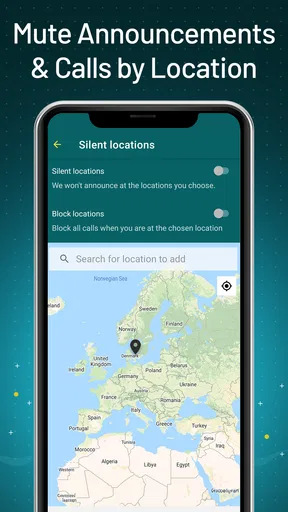
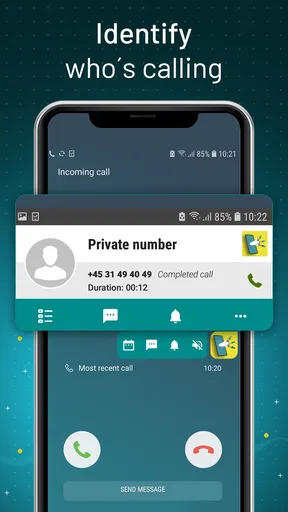
 Analysis by AppCompare
I judge a caller announcer by what happens in the moments when looking at a screen is inconvenient, not by how many settings it can offer. Caller Name Announcer is aimed at that small but familiar problem: a call arrives while your hands are occupied, your phone is out of sight, or you are trying to keep your attention on something else. Its appeal is straightforward, but the day-to-day value depends on whether spoken alerts fit your routine and surroundings.
That makes speed less about opening an app quickly and more about whether an announcement arrives at a useful moment. A voice that identifies a caller can help me decide whether to pause what I am doing, while a late or hard-to-hear announcement would not add much. I would treat it as a convenience layer rather than a replacement for checking the phone when the caller’s identity or message really matters.
Where a spoken alert earns its place
A realistic use is cooking: I might be chopping vegetables or washing a pan when a call comes in. Hearing a name can help me decide whether to stop and dry my hands or let the call wait. It is also useful when carrying shopping, sorting laundry, or working at a desk with the phone just beyond easy reach. In those situations, the benefit is not that the app handles the call for me; it gives me a little context before I choose what to do.
There is a trade-off in each of those settings. A spoken name is useful only if I can hear it without turning the phone into a distraction for other people. At home, a voice alert may be perfectly comfortable; in a quiet waiting room or shared office, it may draw more attention than a vibration. I would think about where I use the phone most often before making spoken announcements part of my default routine.
Choosing which moments deserve an announcement
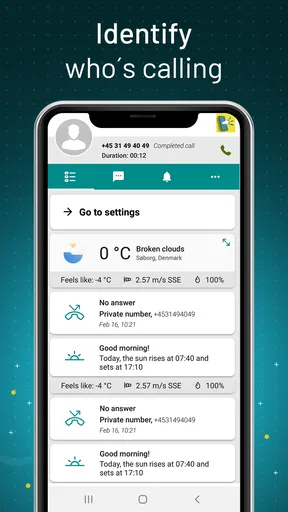
The app’s call and text announcements serve different needs. Calls are easier to assess by identity alone: I can decide whether to answer without looking. A message announcement can be more intrusive because it may reveal information aloud, especially around family, coworkers, or strangers. If privacy matters, I would be selective about using message announcements in public and keep the screen check for anything personal or sensitive.
A practical way to evaluate it is to try the feature in a few ordinary situations rather than enabling every spoken alert and forgetting about it. I would start with the setting that solves the clearest problem—usually caller identification when my hands are busy—then see whether text announcements genuinely help. That small trial makes it easier to spot whether the added audio is useful, distracting, or simply redundant with the phone’s normal ringtone and notifications.
Getting Started with Caller Name Announcer
First things first, let's talk about setting up the Caller Name Announcer. Downloading the app is a breeze; it's available on both Android and iOS platforms. Once installed, you're greeted with a straightforward interface. The app guides you through a simple setup process where you can customize your experience. I was pleasantly surprised by the intuitive design, making it easy enough for even the least tech-savvy among us.
Worth Reading Before You Choose

EA SPORTS FC Mobile 26 Is a Bigger Football Game, but It Takes Time

Flipboard Shows What News Apps Must Do Beyond the Feed

Switching to Android Auto Means Rethinking Your Driving Routine

Google Calendar Makes a Crowded Week Easier to Manage

Ludo King Makes the Most of the Minutes Between Plans

Baby Panda World Brings Quick Play to Modern Phones, but Its Game Library Feels Busy
Features that Stand Out
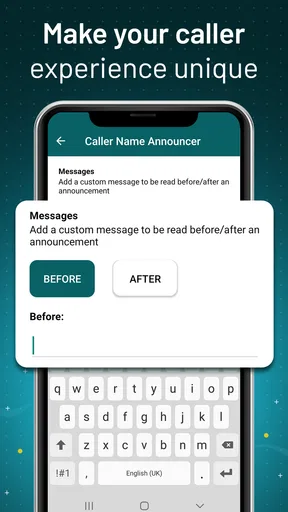
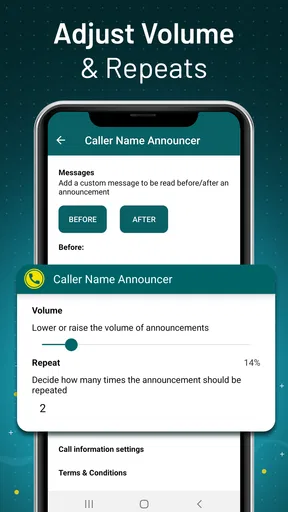
Now, let's get into the meat of the app—the features. What I found particularly handy is the customization options. You can choose the language, adjust the volume, and even select the type of alert you prefer. Personally, I opted for a gentle voice announcement over a loud ringtone. It's like having a personal assistant that whispers who's calling right in my ear.
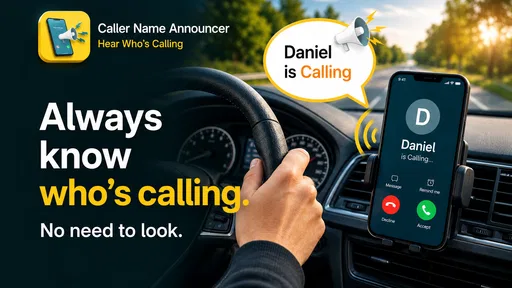
The app also allows you to have text messages announced. This is a game-changer when you're driving or have your hands full. Just imagine cooking dinner and hearing a sweet voice say, "Message from Mom." It's like living in the future!
Performance and User Experience
Performance-wise, the app does a solid job. The announcements are clear and timely, with little to no lag. I tested it in various environments, from a quiet room to a bustling street, and it performed admirably in both settings. I've also noticed that it doesn't drain the battery, which is always a plus in my book.
One thing to note, though, is that it sometimes mispronounces names. If you have contacts with unique names, it might take a few tries to get it right. But honestly, that adds a bit of charm to the whole experience.
Reliability when the phone is busy
The most useful test is not a quiet afternoon with nothing else happening; it is a call arriving while audio, notifications, or everyday tasks compete for attention. I would not assume a spoken announcement will be equally noticeable in every setting. A gentle alert can be pleasant at home but easy to miss near traffic, while a louder one may be more practical outdoors and less welcome around other people. The volume choice is therefore not just cosmetic; it affects whether the app helps or becomes an interruption.
If an announcement is missed, the sensible fallback remains the phone’s ordinary call or message notification. I would not rely on audio alone for urgent communication, and I would still glance at the screen before acting on an unclear name or message. That is especially important when the caller is not saved under a familiar contact name, or when a spoken alert cannot be heard over the surroundings.
What can affect the experience
Name pronunciation is a real limitation, not merely a funny extra. Contact names with unusual spelling or pronunciation may not sound the way I expect, so I would test the names I care about most before depending on voice announcements. Even a clear announcement can be less helpful if I have to guess who it refers to. A familiar ringtone, vibration, or quick screen check may be better for contacts whose names are routinely misread.
Likewise, the app is not the right fit for everyone. If I usually keep my phone in my hand, prefer silent notifications, or need to keep incoming messages private, spoken alerts may add little value. People who want a full call-screening service should also look elsewhere: identifying a caller aloud is a narrower task than deciding whether a call is legitimate or blocking unwanted calls.
How it compares with ordinary alerts
Compared with a ringtone or vibration, a spoken name supplies context without requiring me to pick up the phone. That is its clearest advantage. A standard alert is quieter and more familiar, though it tells me less about who is calling unless I check the display or assign distinct tones. Caller Name Announcer makes more sense when hands-free awareness matters more than keeping the incoming alert discreet.
It is also different from a voice assistant or a call-filtering tool. I would not choose it for broader automation, screening, or spam protection; its appeal is the direct announcement of calls and texts. That focused role is useful when it matches a routine, but it is not a reason to replace the phone’s built-in notification controls or a dedicated tool for a different problem.
Compatibility, cost, and expectations
Caller Name Announcer is a free communication app from Appsbuyout, with an Everyone age rating. It has an average rating of 4.5 from around 13,000 ratings, and more than a million installs. Those figures suggest that the idea has found an audience, but they do not guarantee the same experience on every phone or in every environment. I would weigh the practical fit—especially privacy, audibility, and name pronunciation—more heavily than popularity.
The current version is 2.12.0.1328, and the minimum operating-system requirement is 10. That makes checking the device requirement a useful first step before installing, particularly if the phone is older. I would also treat compatibility as separate from performance: meeting the minimum requirement does not tell me whether announcements will suit my habits, but it does help avoid starting with a device that cannot run the app.
Why You Might Want to Try It
Why should you consider giving the Caller Name Announcer a shot? Well, if you're often on the go or simply want a hands-free solution to know who's calling, this app is for you. It's especially useful for those who can't always reach for their phones, like drivers or busy parents.
Another benefit is the added layer of convenience. Not only does it announce calls and texts, but you can also tailor it to your liking. It's this level of personalization that makes it stand out from other apps in the market.
Wrapping It Up
All in all, the Caller Name Announcer is a nifty little tool that can make your day-to-day life just a tad bit easier. While it's not perfect and has its quirks, it's definitely worth checking out if you're looking for a more hands-free experience. It's like having a tiny assistant in your pocket, ready to announce the world to you, one call at a time.
So go ahead, give it a whirl. You might just find it becomes a staple in your app arsenal. Until next time, happy app-ing!
Pros
- Announces caller ID clearly.
- Customizable notification settings.
- Works with messaging apps.
- Easy to set up and use.
- Supports multiple languages.
Cons
- May mispronounce names.
- Ads can be intrusive.
- Limited free features.
- Requires internet for updates.
- Can drain battery quickly.
FAQs for Caller Name Announcer
What is Caller Name Announcer and how does it work?
Caller Name Announcer is an app designed to audibly announce the name or number of incoming callers. It works by accessing your contact list and using text-to-speech technology to verbally relay who’s calling, allowing users to decide whether to answer without looking at their phones.
Is Caller Name Announcer safe to use?
Yes, Caller Name Announcer is generally safe to use. However, it requires access to your contacts and notifications to function correctly. Ensure you download it from trusted sources like Google Play Store or Apple App Store to avoid any malicious versions.
Can I customize the announcements on Caller Name Announcer?
Absolutely! The app typically allows users to customize settings such as the announcement language, speech rate, and volume. Additionally, you can choose specific contacts for which you want announcements or mute certain notifications during specific times or in specific modes.
Does Caller Name Announcer require an internet connection?
No, Caller Name Announcer does not require an internet connection to announce caller names. It uses offline text-to-speech technology. However, some features like updates or additional voice packs may require internet access.
Will Caller Name Announcer drain my battery?
Caller Name Announcer is designed to be efficient and should not significantly impact your battery life. However, as with any app that runs in the background, there might be a minimal increase in battery usage. It's always advisable to monitor your battery performance after installation.


